Features
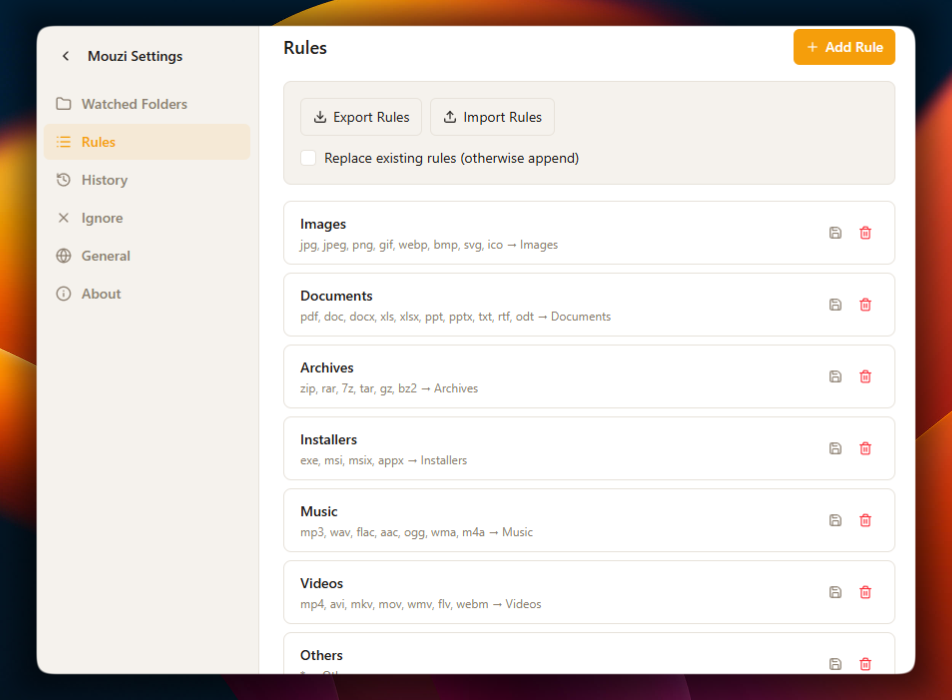
Custom rules
A rule is a condition and a destination. Simple ones take seconds; precise ones use full regular expressions.
File extension is PDFThenMove to Documents/{year}/{month}Match the way you think
Most rules match extensions: PDFs to Documents, images to Images, archives to Archives. When extensions are not enough, add a regular expression for the filename and combine it with size or modification-date limits, like every file starting with Screenshot or every invoice with a number in its name.
Destinations that build themselves
Destinations accept placeholders: {year}, {month}, {day},{extension} and {filename}. One rule likeDocuments/{year}/{month} maintains a dated archive forever, creating folders as needed. Relative paths resolve inside the watched folder; absolute paths can point at any drive.
Priority and quick toggles
Rules run from the lowest numeric priority to the highest and the first match wins, so specific rules sit above general ones. Every rule row has an enable toggle, letting you pause one behavior without deleting anything.
Preview and rename
Review matched rules and destinations before approving a batch. Rename only keeps a file in its folder and applies a naming template, with collision protection and verified undo.
Exclusions
A .mouziignore file in any watched folder keeps chosen files and subfolders out of Mouzi's reach, with wildcard support and comments. See the exclusions documentation.