Automatic organization
Mouzi sits in your system tray and watches the folders you choose. When a new file lands, it applies your rules and moves it to the right place. You keep working; the folder stays clean.
Read the docs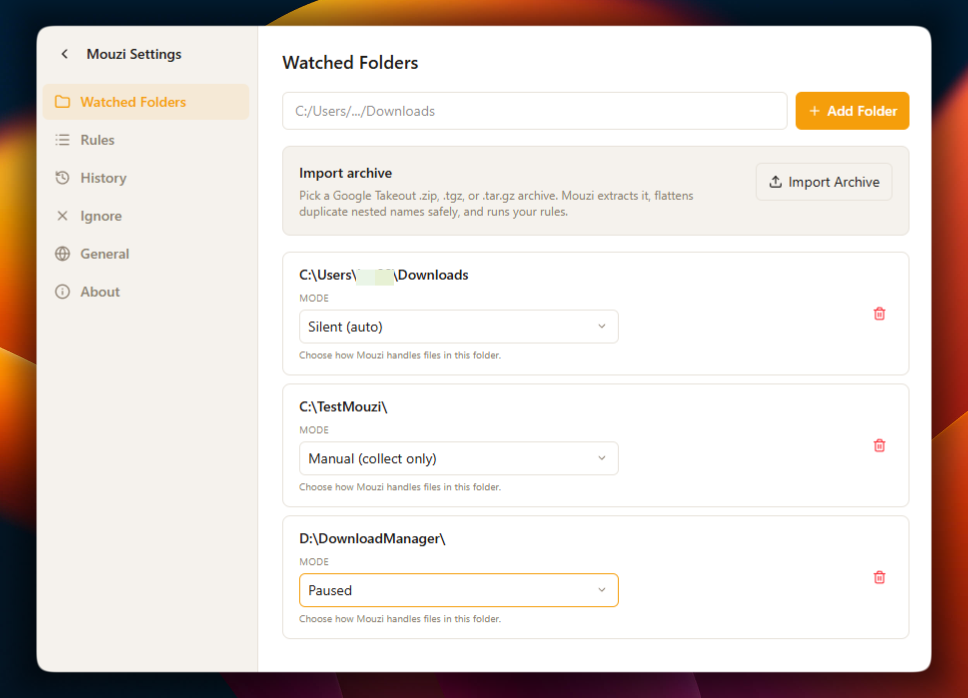
Free · Open source · Local-only
Mouzi quietly organizes new files using rules you control. No cloud, no accounts, no telemetry.
Direct GitHub downloads: code signing approval in progress with SignPath Foundation.
See Mouzi work
Run four ordinary rules and watch Mouzi put every file where it belongs. Everything happens locally.
invoice-march…pdf
pdf · 412 KB
IMG_202607…jpg
jpg · 3.1 MB
node-v22…msi
msi · 31.8 MB
backup-photos.zip
zip · 1.2 GB
Screenshot…png
png · 284 KB
contract_v3…pdf
pdf · 198 KB
holiday-video.mp4
mp4 · 812 MB
setup-obs…exe
exe · 148 MB
data-export.csv
csv · 2.4 MB
presentation…pptx
pptx · 9.6 MB
What it does
Mouzi is a small Rust and Tauri tray application. It stays out of the way until a watched folder needs attention.
Mouzi sits in your system tray and watches the folders you choose. When a new file lands, it applies your rules and moves it to the right place. You keep working; the folder stays clean.
Read the docsCombine extensions, filename patterns, file size and modification dates. Preview destinations before approving moves, or rename files in place with templates.
Read the docs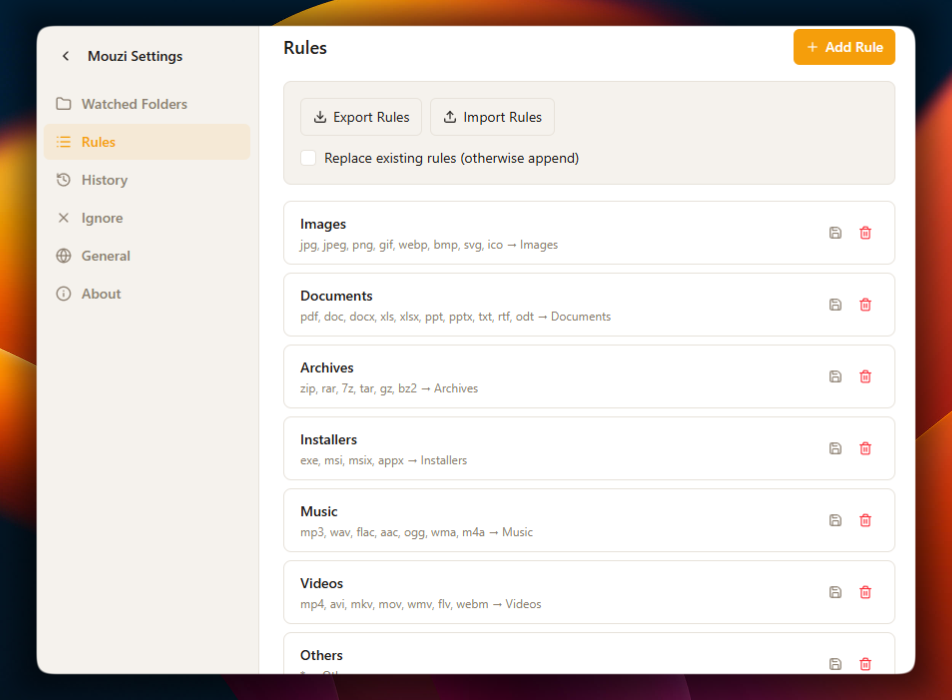
Search local history by filename, rule, extension or date. Review selected files or organization runs before undoing them; changed files and occupied source paths are skipped.
Read the docs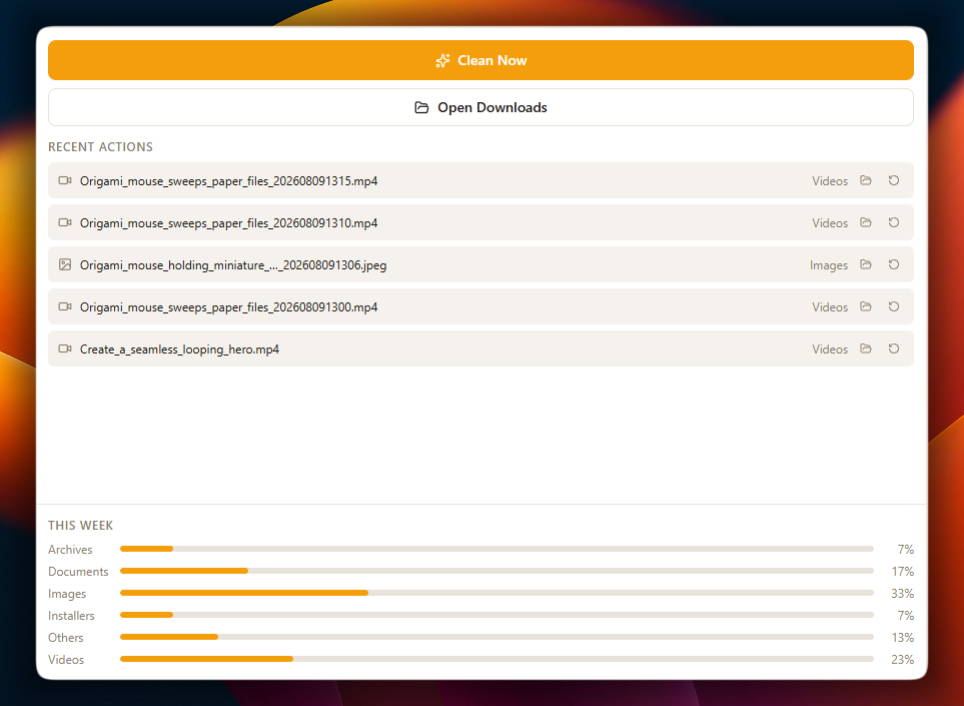
No cloud, no account and no telemetry. Releases are built in public CI. Mouzi also uses a grace period, skips browser temporary files and checks for file locks before an automatic move.
Read the docs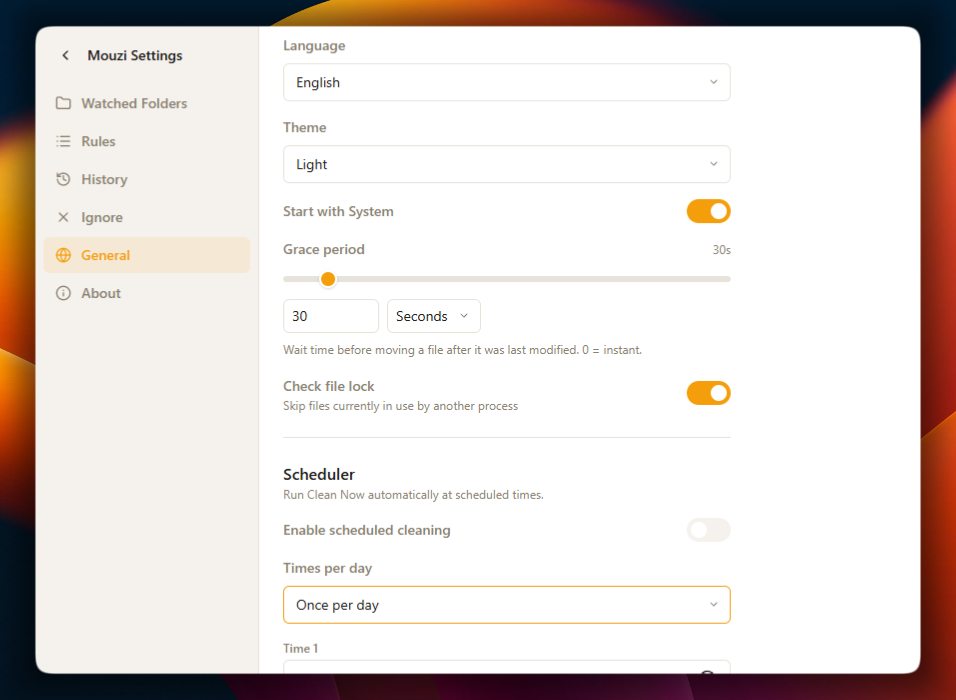
Privacy
Mouzi has no server side. There is nothing to sign up for, nothing to sync and nothing to leak.
No cloud processing
Every rule runs on your CPU, against your disk.
No account
Download, install, done. Mouzi never asks who you are.
No telemetry
The app sends nothing home. You can verify this in the source.
No file names transmitted
File names, paths and contents stay on your machine.
Rules and history stored locally
Configuration and history live in a local SQLite database you can delete anytime.
Open to inspection
The full source code is on GitHub under the MIT license.
Watched folder
~/Downloads
Mouzi rules
runs on your device
Organized folders
Documents · Images · Archives
Rules
These are real rules from real setups. Click through them to see how Mouzi resolves each destination.
File extension is PDFThenMove to Documents/{year}/{month}Documentation
From your first rule to advanced regex patterns and managed deployments.
Security
Public Mouzi releases are built from tagged commits by workflows that anyone can inspect on GitHub.
Releases are compiled in public CI from tagged commits. The workflow files are part of the repository.
Direct GitHub downloads: code signing approval in progress with SignPath Foundation.
The security guide explains how to inspect Windows signatures and calculate a local SHA-256 hash. A trusted comparison value is required before a hash can verify a download.
Version 0.2.1
Free, MIT licensed, around 4 MB for the Windows installer. Pick the build for your system.
Buying Mouzi in the Microsoft Store supports its development.
The Store edition has passed Microsoft Store certification and is digitally signed by Microsoft.

Support Mouzi
Mouzi is free and open source. If you find it useful, you can support development and future updates with a coffee.
Every contribution is optional. Thank you.
Writing
Buy Mouzi in the Microsoft Store to support its development, with a Microsoft-signed package and Store-managed updates. Free downloads remain available on GitHub.
Review file destinations before approving a batch, leave existing files alone, and combine size and date conditions in your rules. Mouzi 0.2.0 is available for Windows and Linux.
Mouzi 0.1.6 adds automatic update checks, extensionless file detection, selective batches, safer removal and several rule editor improvements.
Direction
Plans, not promises. Items move between columns as priorities shift.
Community
Mouzi is developed in the open. Every issue, commit and release is visible on GitHub, and there are plenty of ways to help beyond writing Rust.
Funding
Mouzi is developed after hours by one independent developer. Sponsorship helps fund code signing, testing, documentation, additional platform support and the time needed to maintain the project.
Founding sponsor
One exclusive placement for a company aligned with privacy, productivity or open source.
Claim this placement
v0.2.1 · Windows 10/11 and Linux · MIT License