Features
Automatic organization
Mouzi watches the folders you pick and moves new files according to your rules, the moment they are safe to move.
How watching works
Mouzi registers a file-system watcher on each folder you configure. When a new file appears, it waits out a short grace period, confirms the file is not locked by another process, then evaluates your rules top to bottom. The first matching rule decides the destination. If no rule matches, the file stays put.
Four modes
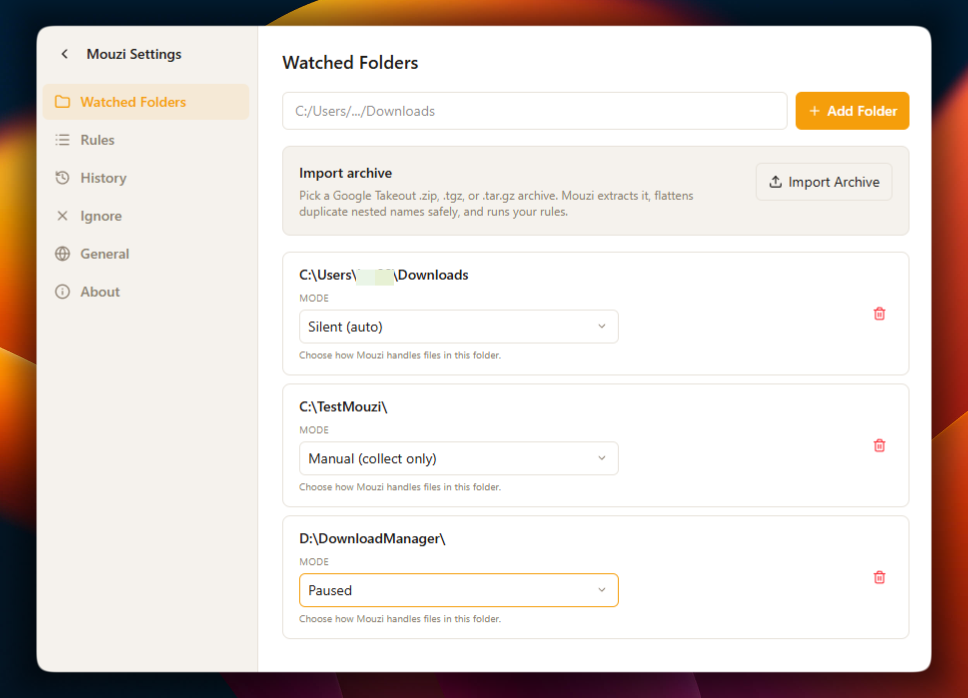
Silent organizes continuously in the background. Manual waits until you click Organize and review the selected operations. Suggest collects arrivals for approval in the review queue.Paused stops watching entirely. Set each folder's mode in Settings. Scheduled organization runs up to four times per day and processes Silent folders only.
Safe with live downloads
Files may appear before a browser has finished writing them. In Silent mode, Mouzi waits through a grace period and skips .crdownload, .part, .download and .tmpfiles. It also ignores zero-byte placeholders and, when lock checking is enabled, skips files that another process holds open. Manual and scheduled organization runs do not wait through the grace period.
History and undo
Each successful move is written to a local SQLite history. Open History from the main window to see what moved, where and which rule fired. Select files or organization runs for verified undo. Changed files, occupied source paths and older entries without verification records are skipped. Details are in the getting started guide.