For Windows 10, 11 & Linux

Organize Downloads folder automatically

Mouzi lives in your system tray and automatically sorts every downloaded file by type. No cloud. No clutter. No effort.

Windows 10 / 11 Linux Tauri 2.x MIT License

Your downloads, tamed.

01

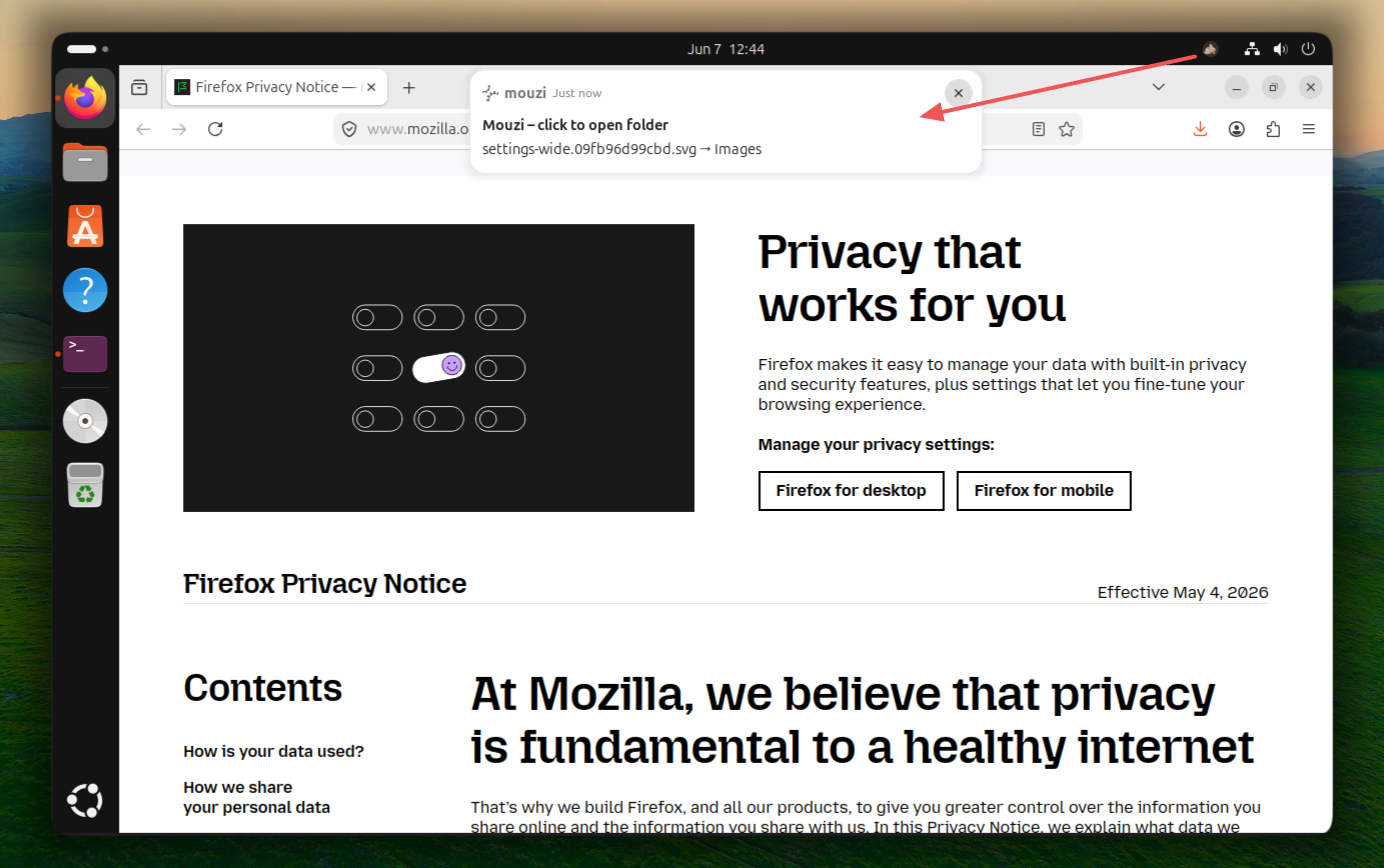
Silent by Design

Runs quietly in the background. No pop-ups, no interruptions - just a subtle toast when files are organized. Click it to open the destination folder instantly.

02

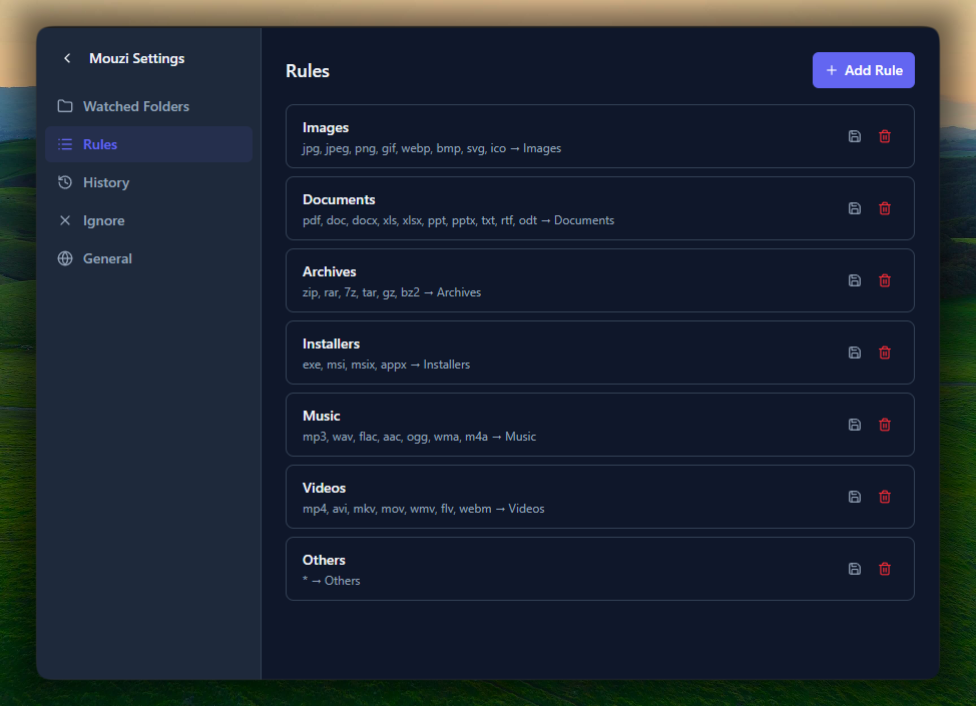
Smart Rules

Custom rules with extensions, regex patterns, and dynamic paths like {year}/{month}.

03

History & Undo

Every action is logged locally. Made a mistake? Undo any move with a single click.

04

Clean now

Need to clean up your messy Downloads folder? Mouzi scans and organizes all your files in a few seconds, with just one click. No stress, no mess.

05

6 Languages

Auto-detects your system language. English, Polish, Italian, German, French, and Russian supported.

06

Privacy First

Zero cloud. Zero telemetry. All data stays on your machine in a local SQLite database. Nothing ever leaves your computer.

07

Blazing Fast & Lightweight

Built with Rust and Tauri, Mouzi uses minimal memory and CPU. You won't even notice it's there.

08

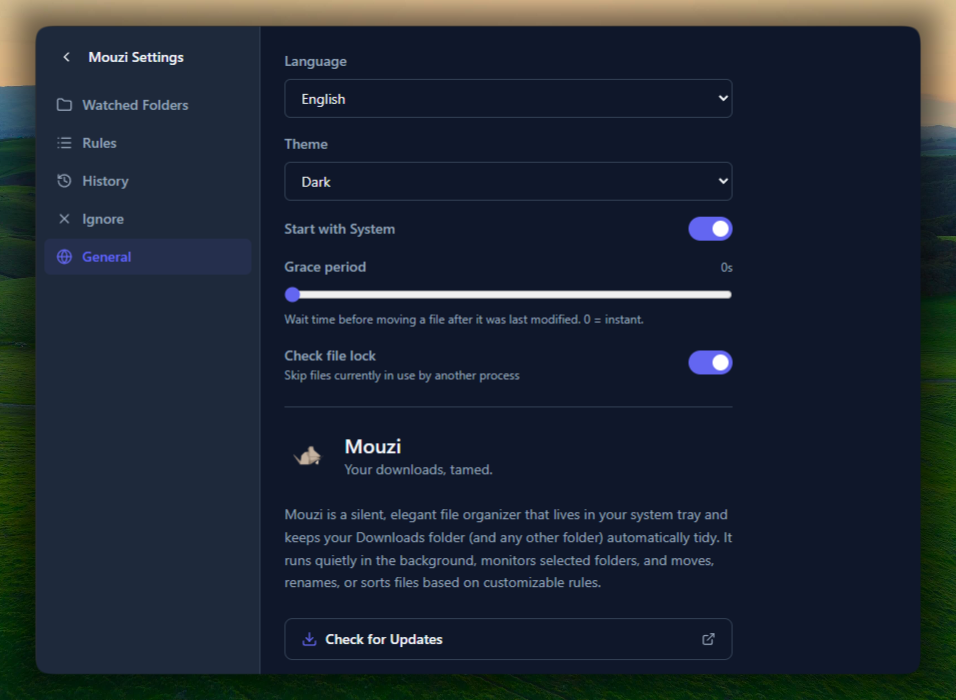
Download-Safe

Grace period and file-lock detection ensure files are never moved while still being downloaded. No more broken downloads.

Free forever.
No strings attached.

Windows · Recommended

Auto Installer

Mouzi_0.1.1_x64-setup.exe — ~3.3 MB

The easiest way to get started. Double-click, install, done.

Download .exe
Windows · Enterprise

MSI Package

Mouzi_0.1.1_x64_en-US.msi — ~4.7 MB

For IT administrators and managed deployments.

Download .msi
Windows · Portable

Portable

Mouzi_0.1.1_x64-portable.exe — ~14 MB

No install needed. Just download, run, and delete when done.

Download portable
Linux · Recommended

AppImage

Mouzi_0.1.0_amd64.AppImage — ~86 MB

Universal Linux package. Works on most distros. No install needed.

Download AppImage
Linux · Debian/Ubuntu

.deb Package

Mouzi_0.1.0_amd64.deb — ~6.9 MB

Native package for Debian, Ubuntu, Mint, and derivatives.

Download .deb
Linux · Fedora/openSUSE

.rpm Package

Mouzi-0.1.0-1.x86_64.rpm — ~6.9 MB

Native package for Fedora, openSUSE, RHEL, and derivatives.

Download .rpm

Prefer GitHub? Download the latest release directly from GitHub.

🛡️ Windows may show a "Windows protected your PC" warning

This happens because Mouzi is new and not yet signed with a code certificate (which costs ~$400/year - not feasible for a free side project). Mouzi is 100% open source and safe.

Mouzi is flagged by 3 heuristic engines (Arctic Wolf, SecureAge, Sophos) only because it's new and unsigned. None of them detect actual malware. Sophos explicitly classifies it as "PUA" (Potentially Unwanted Application) - meaning it just finds the automatic file-sorting behavior suspicious.

To run it anyway:

  1. Click "More info" on the SmartScreen popup
  2. Click "Run anyway"
  3. Smile - your files are safe and private 🧹
🔍 View VirusTotal scan results →
See it in action.

Clean up your messy Downloads folder with one click!

Common questions,
honest answers.

How does Mouzi work?

Mouzi sits in your system tray and watches selected folders (like Downloads). When a new file appears, it waits 2 seconds to ensure the download is complete, then moves it to the appropriate subfolder based on your rules.

Is my data sent anywhere?

No. Mouzi is 100% offline. File names, rules, and history are stored in a local SQLite database on your machine. Nothing ever leaves your computer.

Can I customize the rules?

Absolutely. Open Settings from the tray menu and go to the Rules tab. You can create rules based on file extensions, regex patterns, and set custom destination folders with placeholders like {year}, {month}, or {filename}.

What if Mouzi moves a file to the wrong place?

Open the History tab in Settings. Every action can be undone with one click - Mouzi will move the file back to its original location.

Does it start automatically with Windows?

Yes. Mouzi registers itself to start with Windows automatically. You can toggle this off in Settings → General.

Is it really free?

Yes. Mouzi is open source under the MIT License. You can use it, modify it, and even build your own version from the source code.

Does Mouzi support Dark Mode?

Yes. Mouzi follows your Windows theme automatically. You can also switch manually between Light, Dark, and System in Settings → General.

Will Mouzi slow down my computer?

No. Mouzi is built with Rust and Tauri, using minimal memory and CPU. It runs silently in the background and you won't even notice it's there.

Keep Mouzi alive.

If Mouzi saves you time and keeps your Downloads folder sane, consider buying me a coffee. It helps keep the project improving.

☕ Buy me a coffee